
 HashAgent Pro
 HashAgent Lite
 PDFTone
 DD Images
 Start Training Now
macOS · Menu Bar
SoundBalance
Volume rules for your Mac
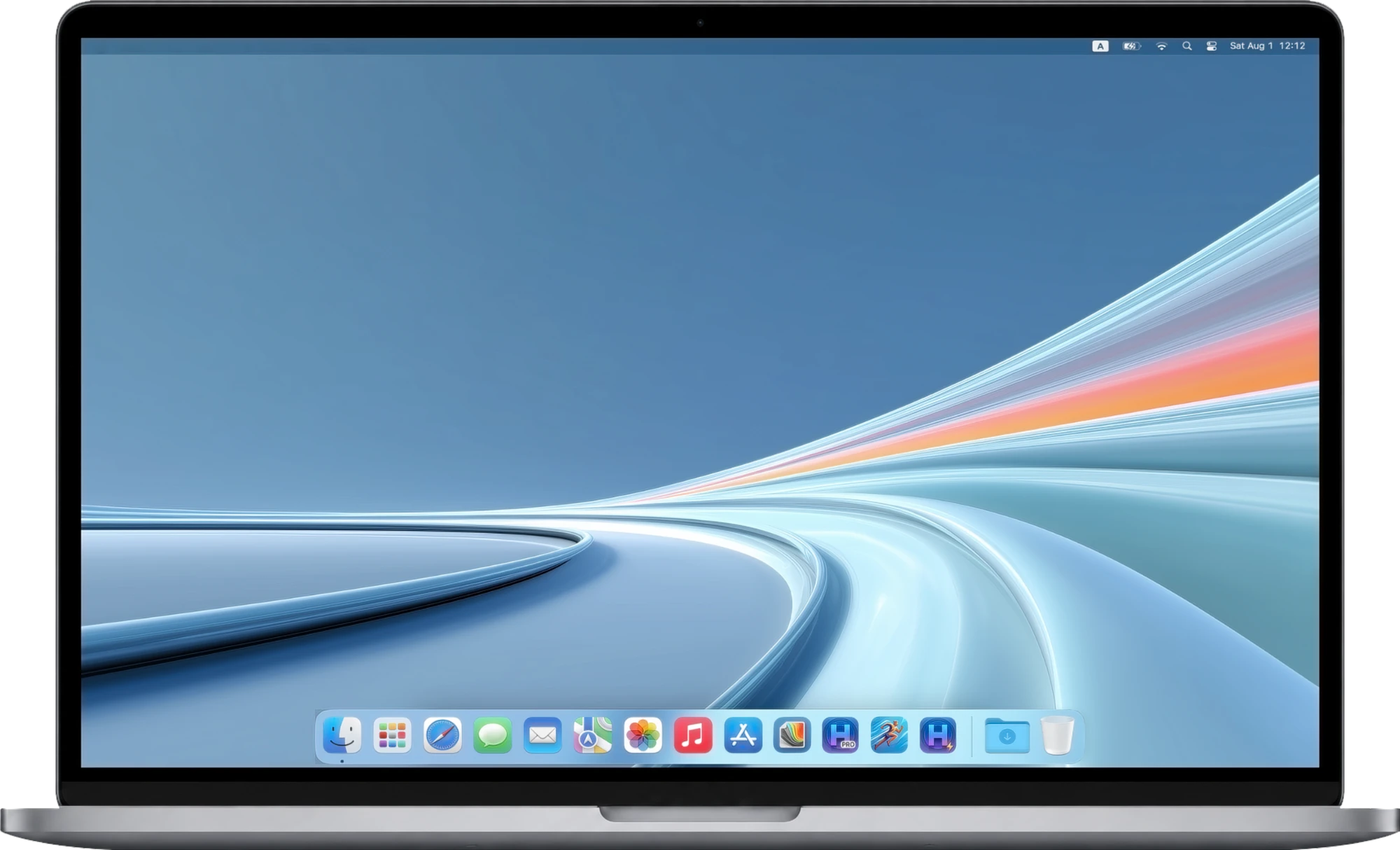
Stop reaching for the volume slider every time something changes. SoundBalance sits in your menu bar and adjusts your Mac's audio automatically, based on rules you set once.
Event-driven
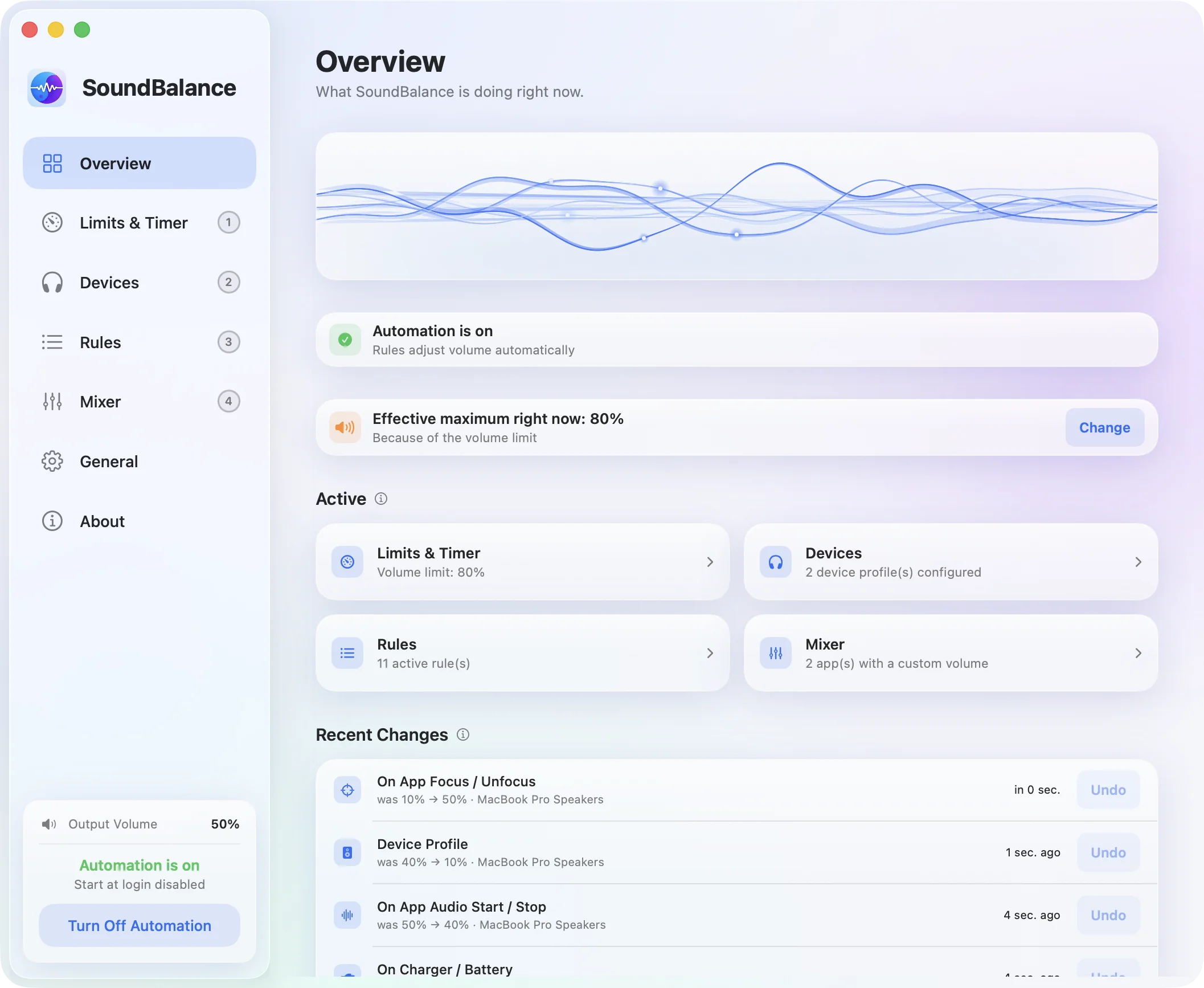
Eleven events — sleep, wake, lock, headphones, app focus and more — each with its own level.
Ceilings & night mode
A maximum system volume around the clock, on a schedule, or a lower one for the night.
Private by design
Everything runs on your Mac. No analytics, no tracking, no account.
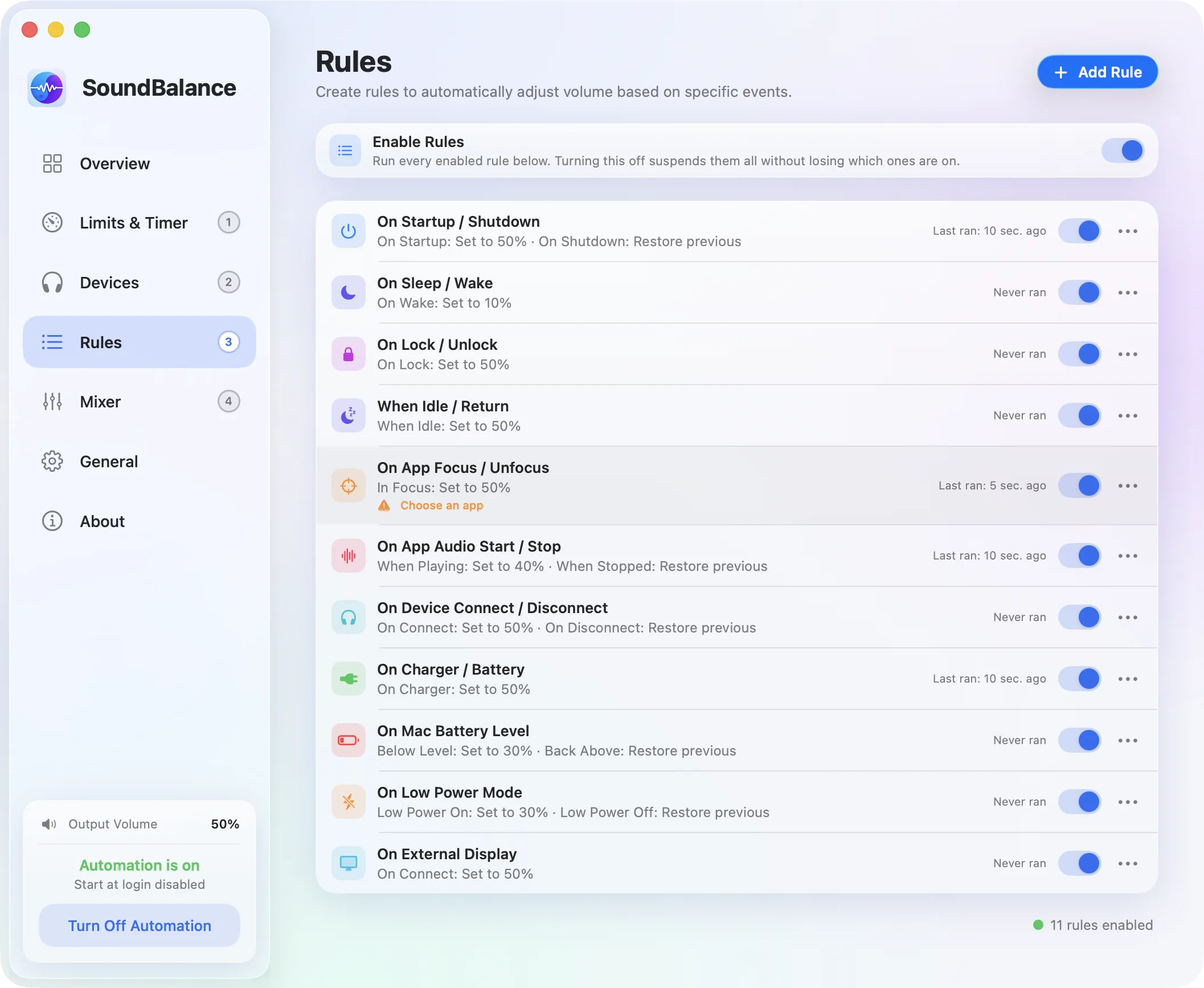
Event-driven rules
Build rules around eleven events
Many Mac users have a routine: turn it down before sleep, for headphones, during a call, at night. SoundBalance turns that routine into rules that run locally, in the background.
Each side of an event can set a level, mute, unmute, switch the output device or restore the previous state — with an optional delay, fade and schedule. Rules can be limited to specific devices or apps. App Audio Start / Stop requires macOS 14.4+.
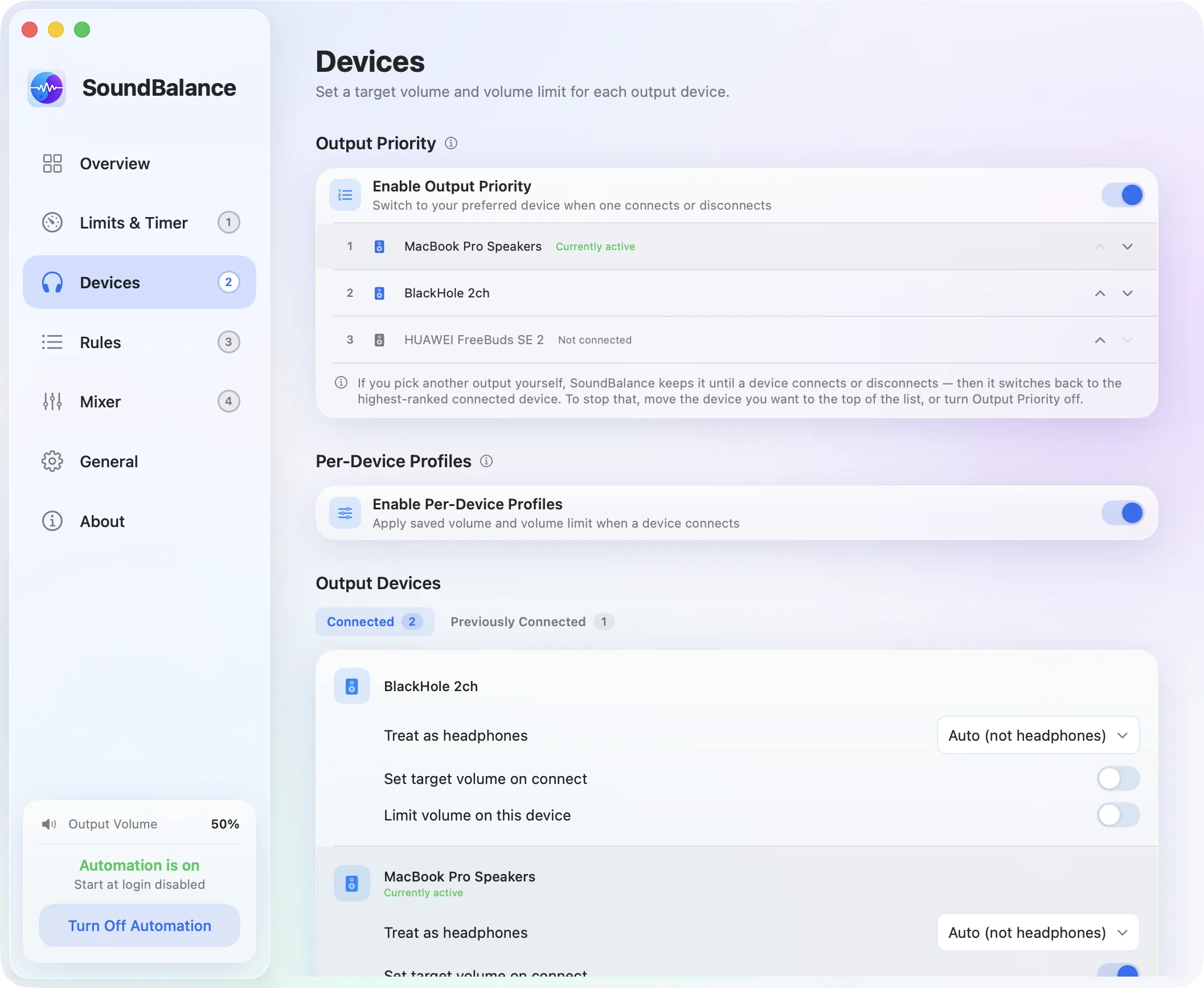
Devices
Per-device profiles & output priority
Give each output device its own target volume and ceiling, and rank your devices so the highest-ranked connected device gets the audio.
- Target volume and ceiling for every device
- Rank devices — the best connected one wins
- Headphones: turn the volume down once, to a level you choose
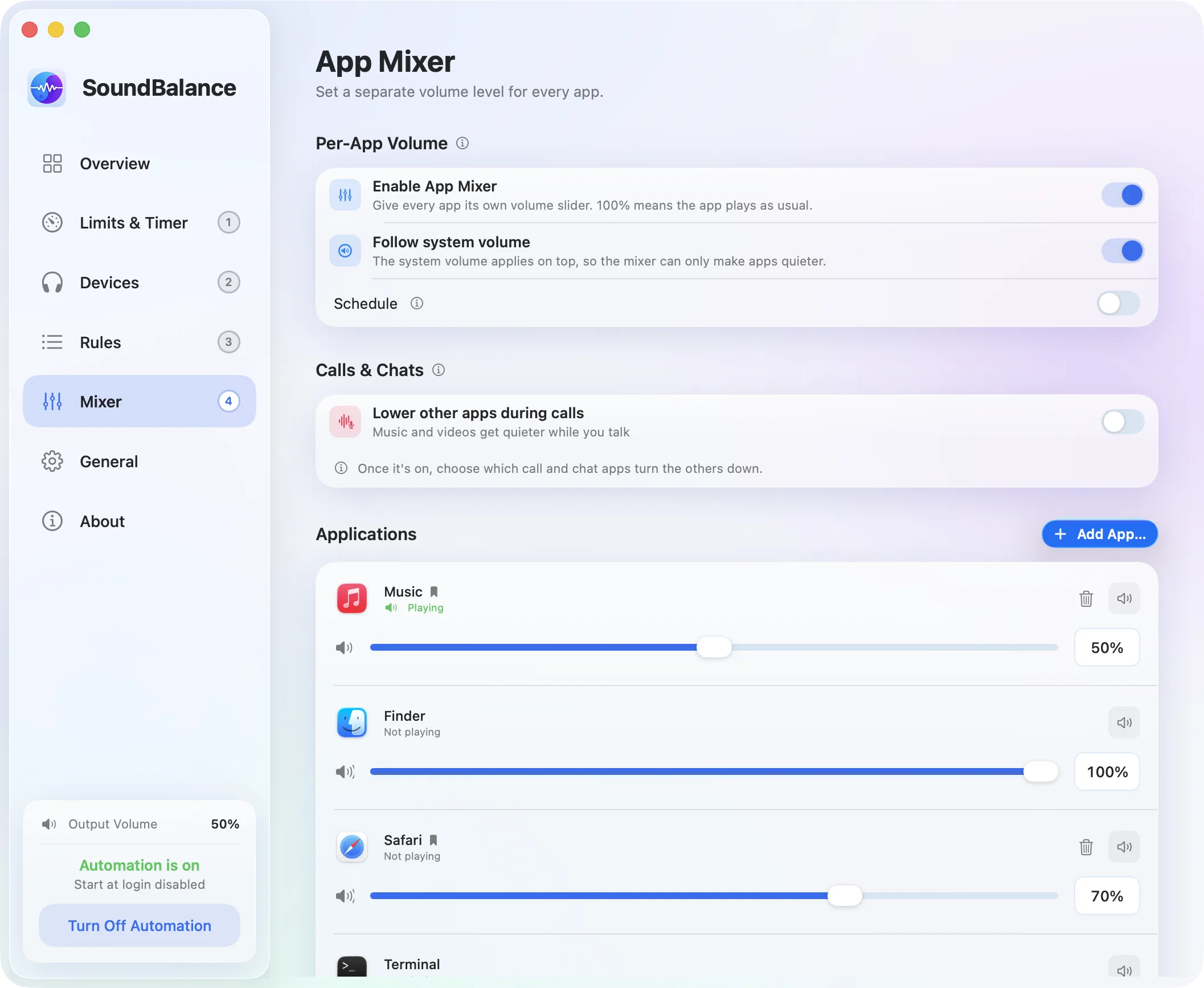
Mixer · macOS 14.4+
App mixer & ducking
Set a separate volume for each app from the menu bar, and lower other apps while a call or meeting app is playing.
- Independent volume for every app
- Ducking for calls and meetings
- Microphone level and mute controls
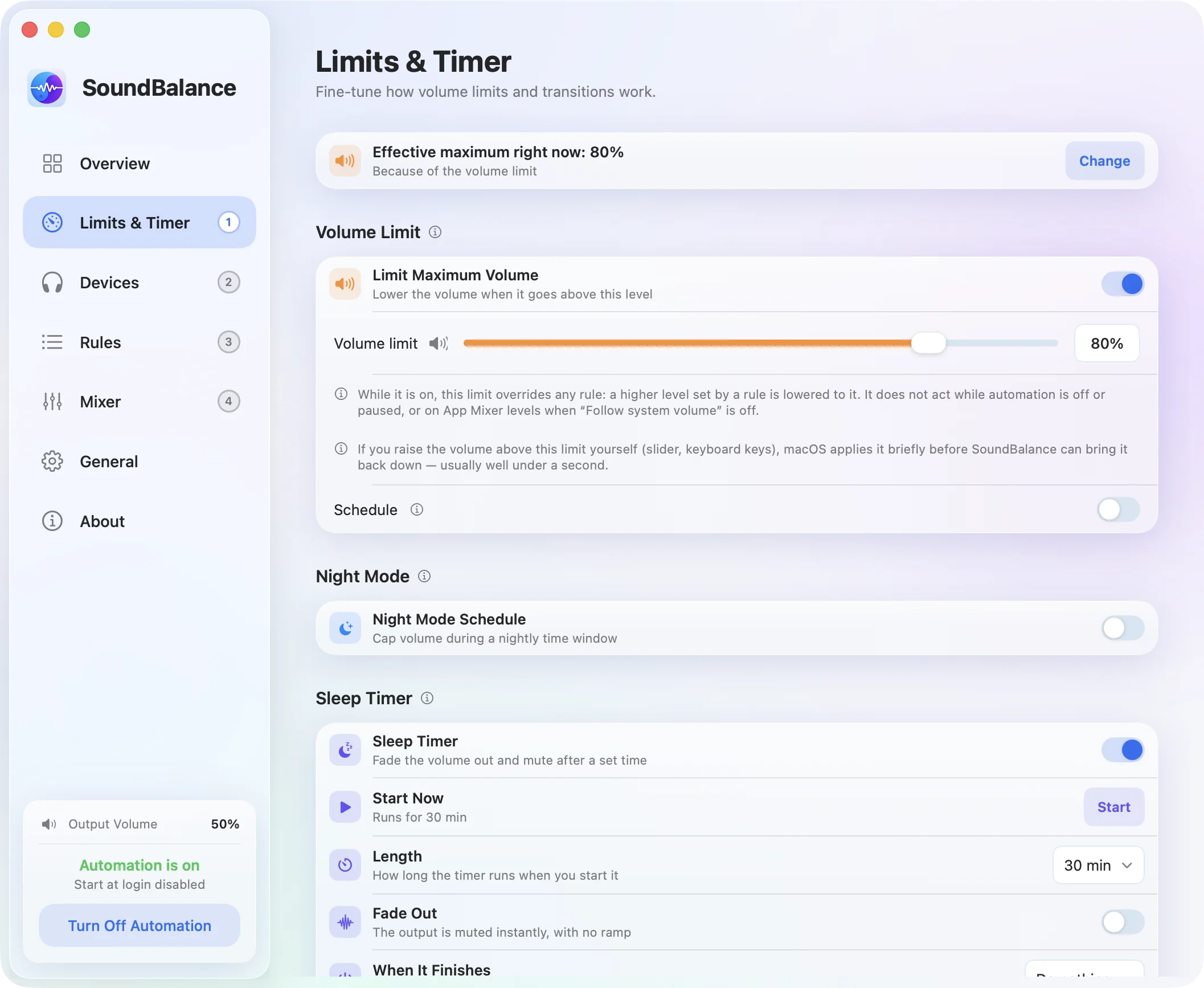
Advanced
Volume ceiling, night mode & sleep timer
Set a maximum for the system volume — around the clock, on a schedule, or a lower one for the night. When the volume goes above it, SoundBalance lowers it again.
- Day and night ceilings with a schedule
- Sleep timer: fade out, mute, optionally run a script
- Levels in percent or dBFS
Menu bar
Always one click away
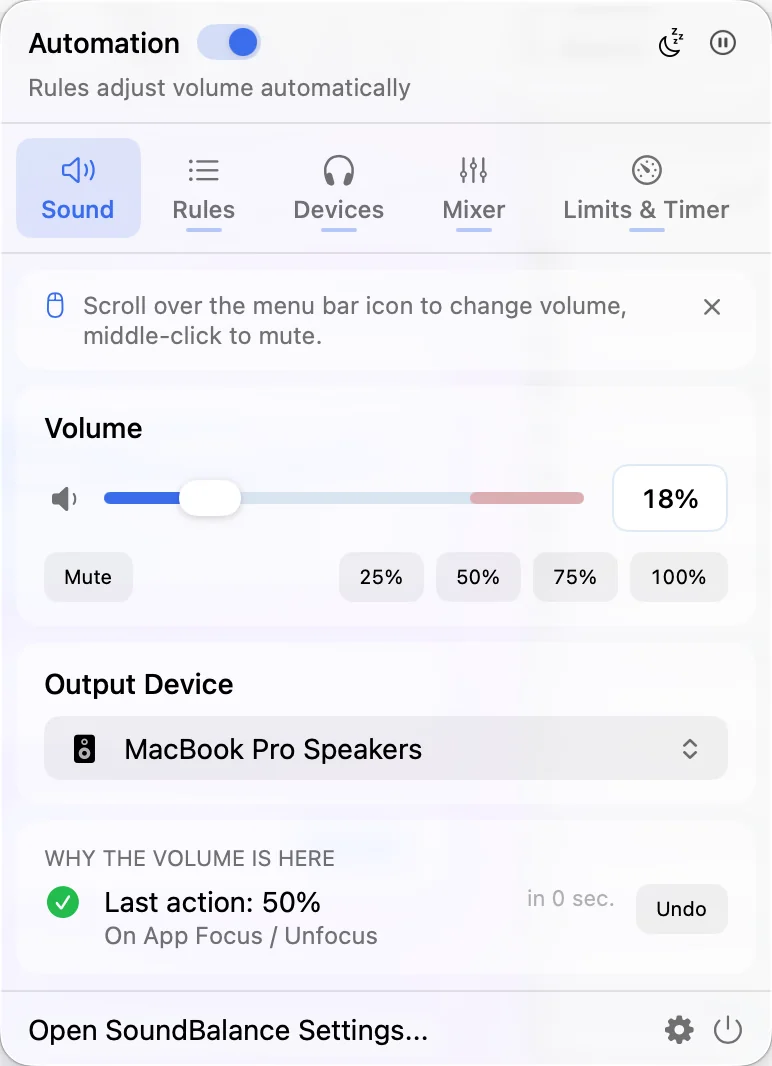
Pause automation for 15 minutes, an hour or four hours. See what changed the volume, and undo it.
- Pause automation on demand
- Recent changes with Undo
- Keyboard shortcuts, Shortcuts actions and a widget
Features
Everything volume, in one menu bar app
Small utility, careful details.
Volume ceiling
Cap the system volume. Anything above it is lowered again.
Night mode
A quieter ceiling that kicks in on a schedule.
Headphone volume
Turn the volume down once when headphones become the output. macOS may play briefly at the previous level first, so take headphones off before connecting them.
Sleep timer
Fade out and mute after a set time — and optionally run a script, such as one that puts your Mac to sleep.
Undo
Recent changes show exactly what changed the volume — and let you undo it.
Shortcuts & widget
Keyboard shortcuts, Shortcuts actions and a widget put control where you need it.
Private by design
Everything runs on your Mac. SoundBalance has no analytics or tracking, does not send your settings or audio anywhere, and needs no account.
SoundBalance is a convenience utility. It does not measure sound and is not hearing protection, and its limits act on the macOS system volume only.
Support
Need help?
Find answers to common questions or get in touch with support.
Set your volume once.
Wake, sleep, lock, headphones, an app in focus — SoundBalance handles the rest.